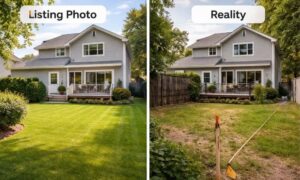
You open a map of your property in Columbus. The image looks clean. The lot seems simple. It feels like you already understand the space.
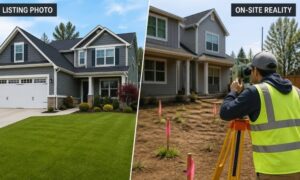
Then work starts, and things don’t match what you saw.
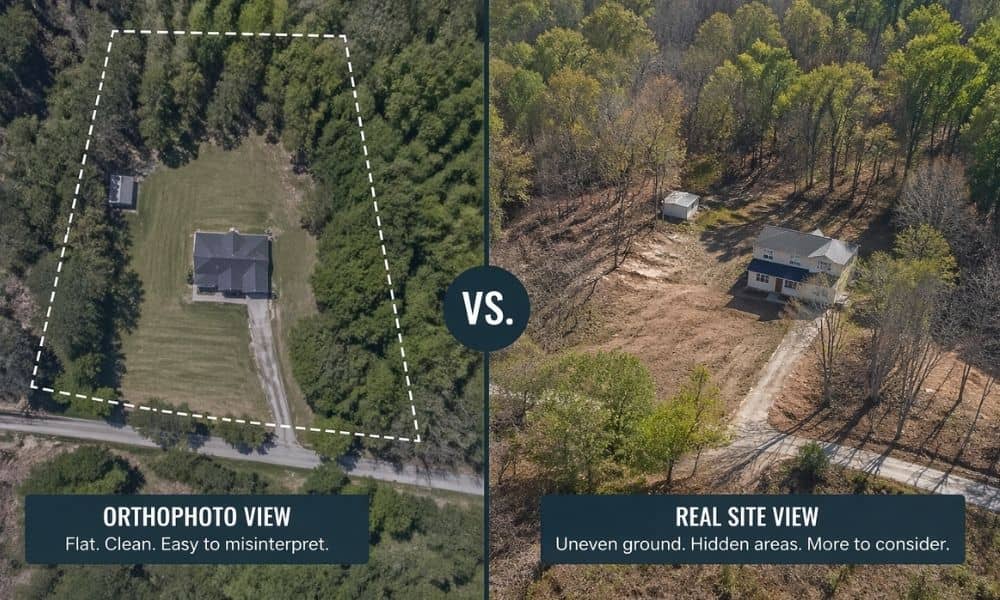
That happens more than people expect. Public orthophotos help, but they only show a flat picture. They don’t show the full story. Before you rely on them or skip aerial mapping, there are a few things you need to check.
What You’re Really Looking At
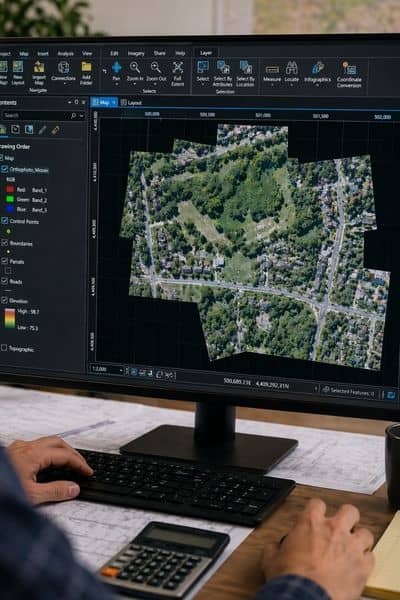
Public orthophotos are top-down images taken from the air. They are stitched together and corrected so everything lines up.
They look accurate. They feel detailed. Still, they are just images.
They don’t update often. They don’t adjust to your project. They don’t confirm what is happening on the ground right now.
So they help you start. They don’t help you finish.
Check When the Image Was Taken
Most people miss this.
You are not seeing your property today. You are seeing it on the day the image was captured.
That could be months ago. Sometimes longer.
A lot can change in that time. A site may have been cleared. Dirt may have been moved. New work may have started nearby.
You might think the land is untouched. In reality, it already changed.
If your plan depends on current conditions, this matters right away.
Look for Areas You Can’t Really See
Trees hide more than people think.
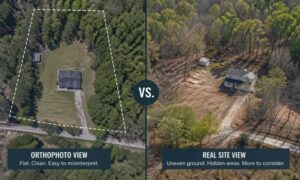
In many Columbus areas, tree cover blocks large parts of a lot. From above, everything looks green and calm. Under that canopy, the ground could be uneven, soft, or already disturbed.
Shadows can also hide details. Dark areas may cover small features you need to notice.
So even if the image looks clear, parts of your property may still be unknown.
Watch How the Ground Looks, Not Just What’s On It
At first glance, most lots look flat in an orthophoto.
That can be misleading.
Color changes in the image can hint at something else. You might see darker soil, lighter patches, or uneven tones. Those often point to past work or uneven ground.
Still, the image cannot confirm what the surface feels like or how it behaves.
It shows appearance. It does not show condition.
Don’t Trust Visual Edges
You might see a fence line. Or a row of trees. Maybe a driveway that looks like it marks the edge.
It feels clear. It looks like a boundary.
That’s where mistakes happen.
Those lines don’t prove where your property starts or ends. They only show what’s visible from above.
If you plan around those edges, it’s easy to get it wrong. That’s usually when people decide it’s better to check the property lines with a survey before doing anything else.
Check for Signs That Something Has Changed
Look closer at the image.
Do you see uneven ground? Areas that look disturbed? Parts that don’t match the rest of the lot?
Those signs matter.
They can mean past work took place. They can point to grading or site activity that the image does not fully explain.
You are looking at one moment in time. You are not seeing what happened before or after.
Look Beyond Your Lot
Zoom out.
Check the roads. Look at nearby properties. Notice how the area connects.
It may look simple on screen. In real life, access can be tighter. Space can be limited. Neighbors can affect how you use your land.
The image shows the layout. It does not show how the space works day to day.
Where Public Images Stop Helping
At some point, the image stops giving clear answers.
You may start guessing. You may assume things are fine. That’s where problems begin.
Public orthophotos are great for a first look. They help you spot possible issues. They help you ask better questions.
But they don’t give the level of detail needed for real decisions.
When Aerial Mapping Makes Sense
If the image is old, you’re not really looking at the site as it is today.
If trees are in the way, parts of the land just disappear from view.
If the ground looks uneven, it’s hard to tell what’s actually happening there.
And if you’re planning to build or invest, that gap can lead to mistakes later.
That’s usually when people want a clearer picture and end up deciding to get aerial mapping for their property so they’re not working off guesswork.
It gives a more up-to-date view of the site and helps you see what’s actually there, not just what an older image happens to show.
Closing Thought
Public orthophotos are easy to use. They make any property look simple.
Still, they can create false confidence.
The smart move is simple. Use them to take a first look. Then bring in aerial mapping when details start to matter.
That shift can save time, money, and a lot of second-guessing later.